
KIANTA GAMES

Play beyond reality

Explore games
3games
13worlds and arenas
200players in one round
60FPS
4screen languages

Our games

Made for the LIVE audience

Interactive games for TikTok LIVE streams: the streamer runs the game, the viewers decide what happens — every gift and like becomes an action on screen.

In development

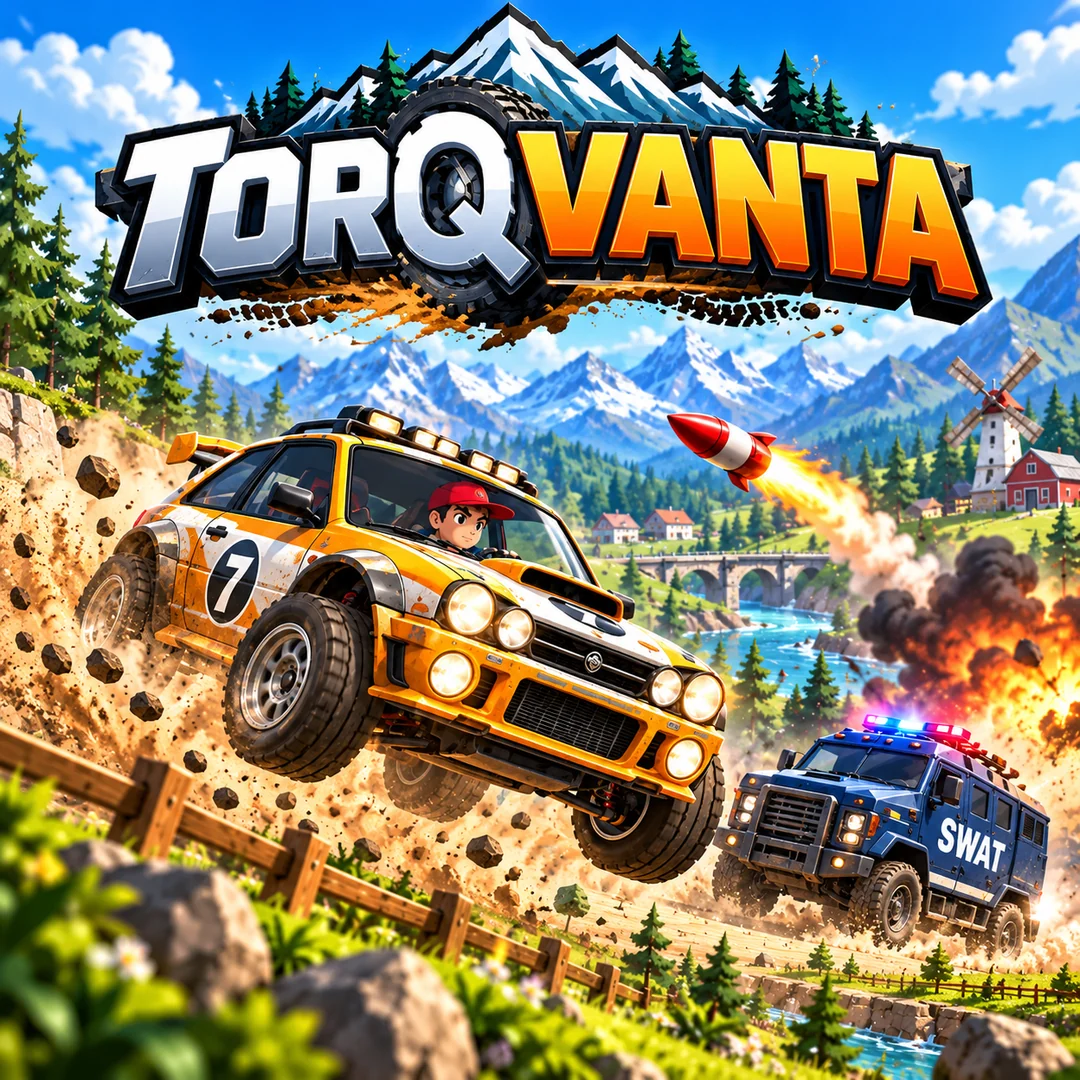
TORQVANTA

Team race · Helpers vs Destroyers

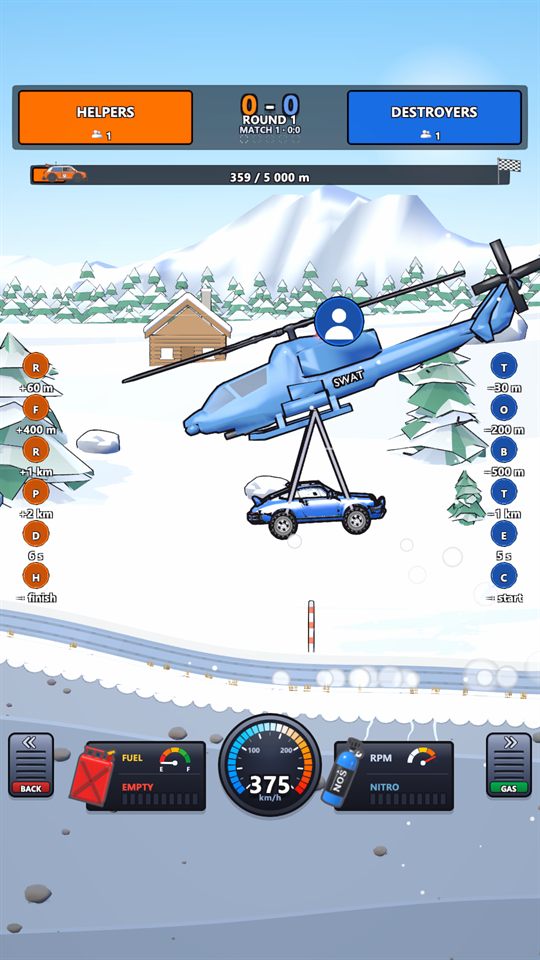
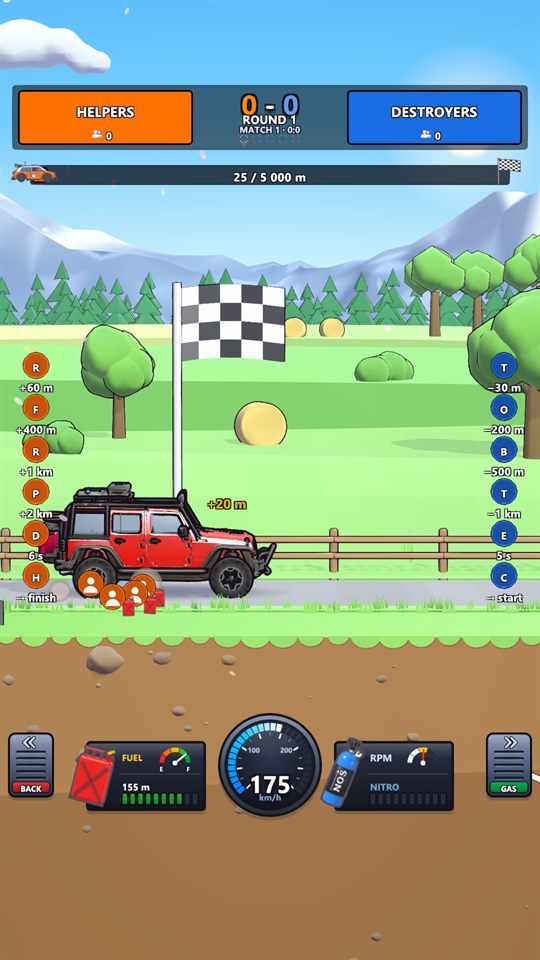
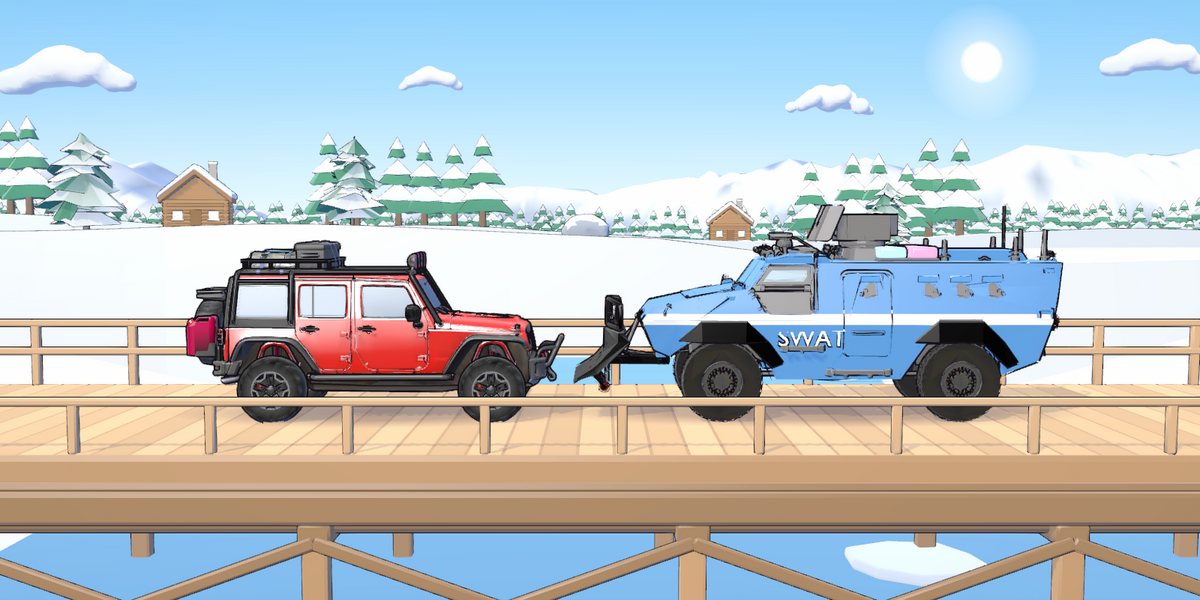
Helpers drive the rally car to the finish line; Destroyers send the SWAT convoy to stop it. Likes fuel the car, gifts turn into nitro, rockets, shields, drones and helicopters — the side whose viewers act together wins the round.
  • Likes fill the fuel tank
  • Nitro shoots the car ahead
  • SWAT pushes it back
  • Rockets, shields, drones and helicopters
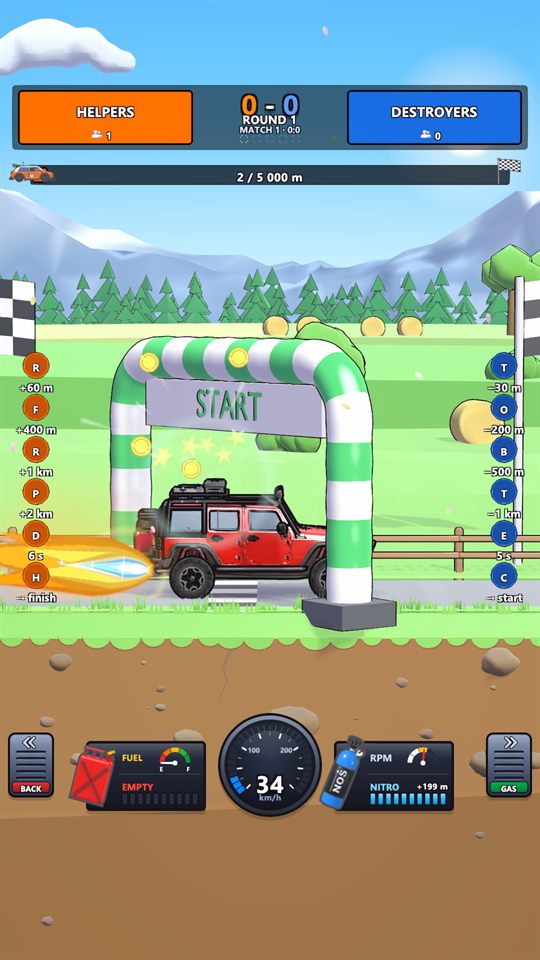
TORQVANTA: nitro flame behind the Bison 4x4 at the start
TORQVANTA key art: a rally car jumping over a dirt road, a rocket and the SWAT truck behind
TORQVANTA: the SWAT helicopter carrying the car back to the start over the snow
New game

WOBBLARA

Jelly sumo · Everyone in the LIVE plays

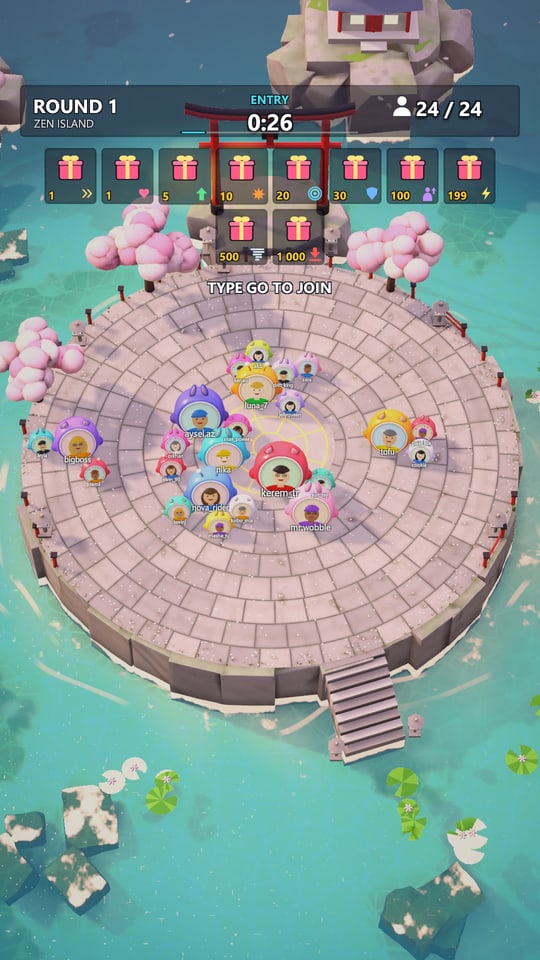
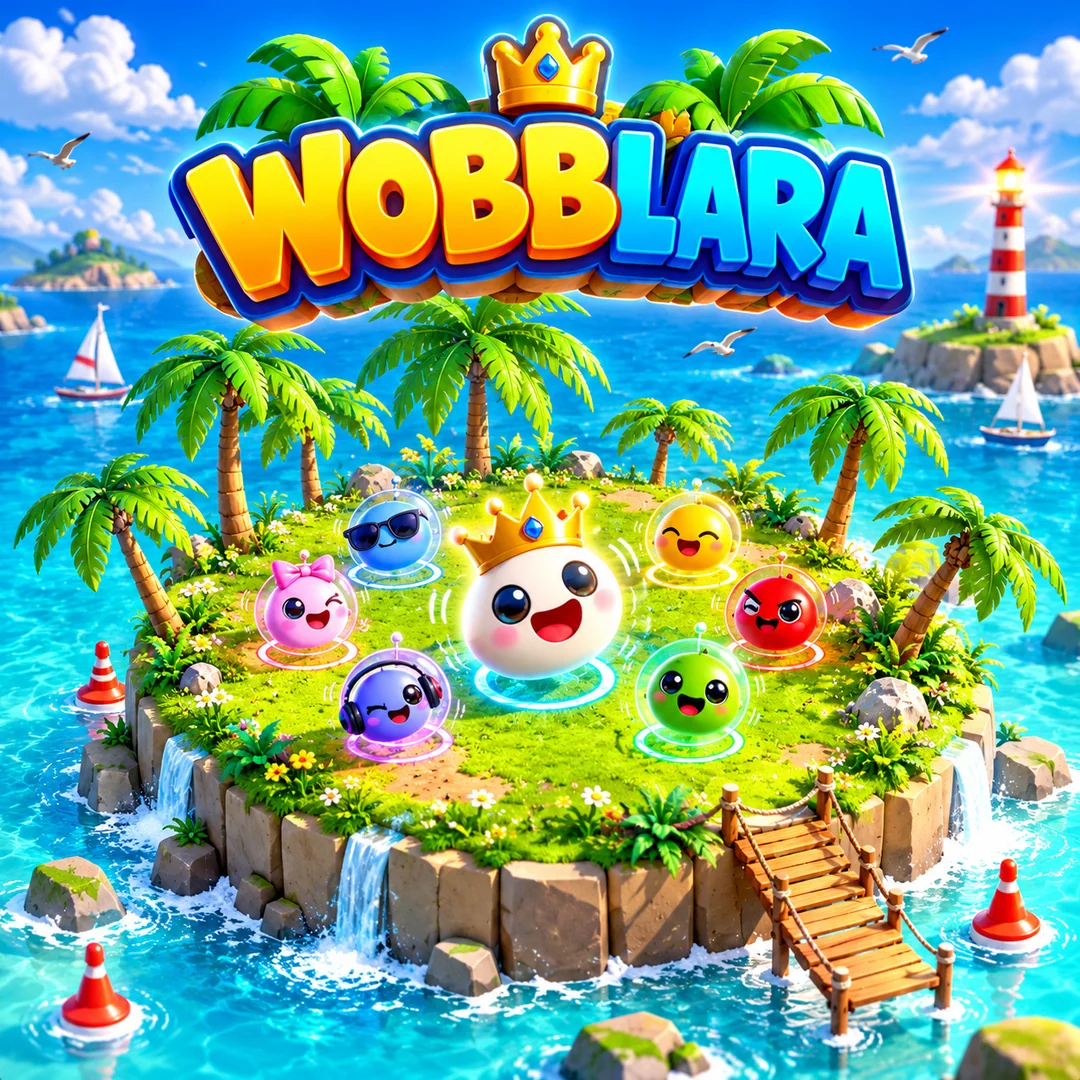
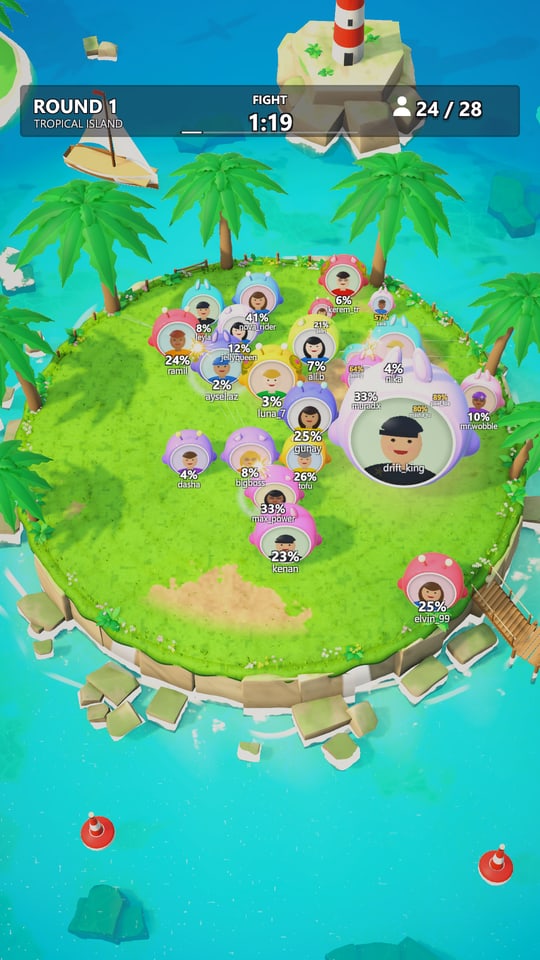
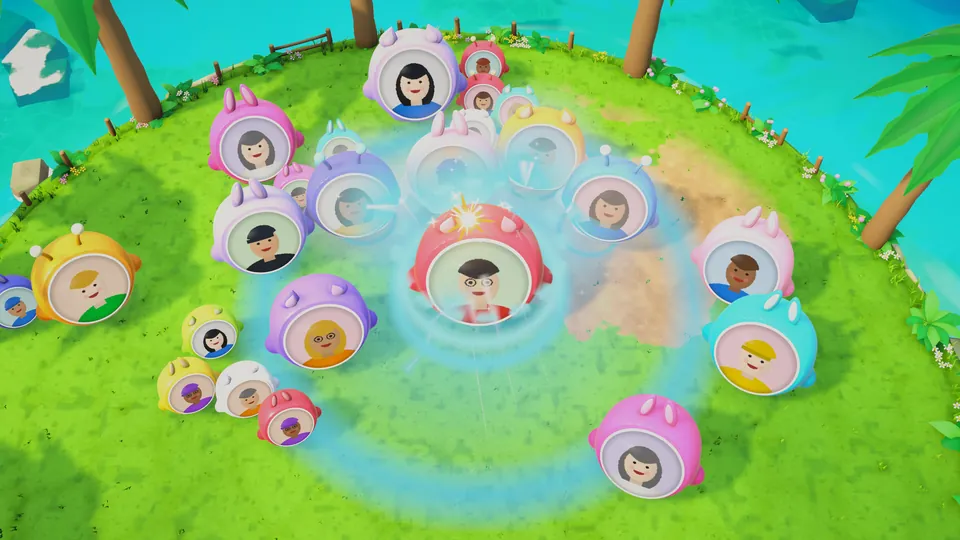
Every viewer drops onto the island as a jelly character with their own profile picture. The jellies bump each other off the edge, gifts give them powers, and the last one standing wins the crown.

  • Up to 200 players a round
  • Dash, shield and a giant
  • Thunder, tornado, titan slam
  • Six maps, a crown for the winner
WOBBLARA on a phone: the round's entry with the gift list over the Zen garden map
WOBBLARA key art
WOBBLARA on a phone: jellies fighting on the tropical island with their damage percent
New game

ORBANTA

HP battle · Everyone in the LIVE plays

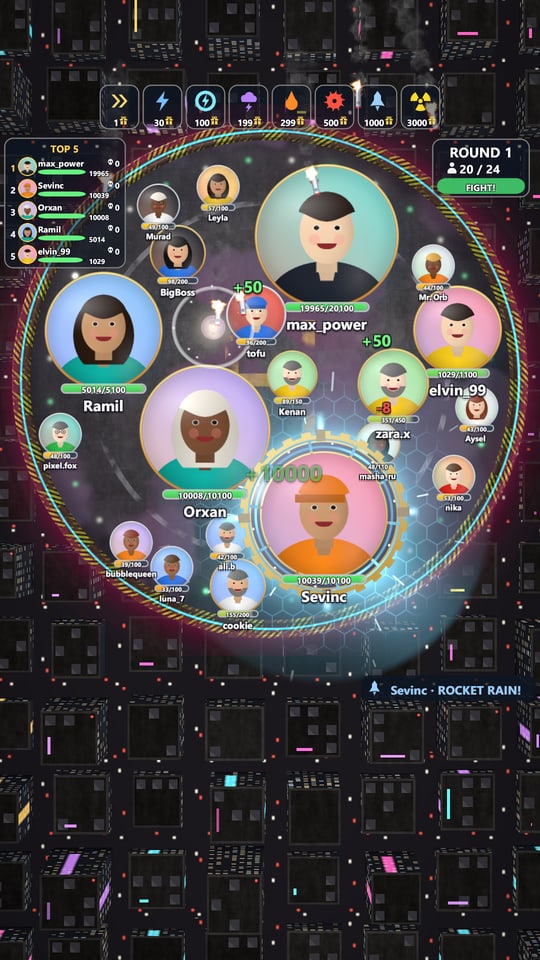
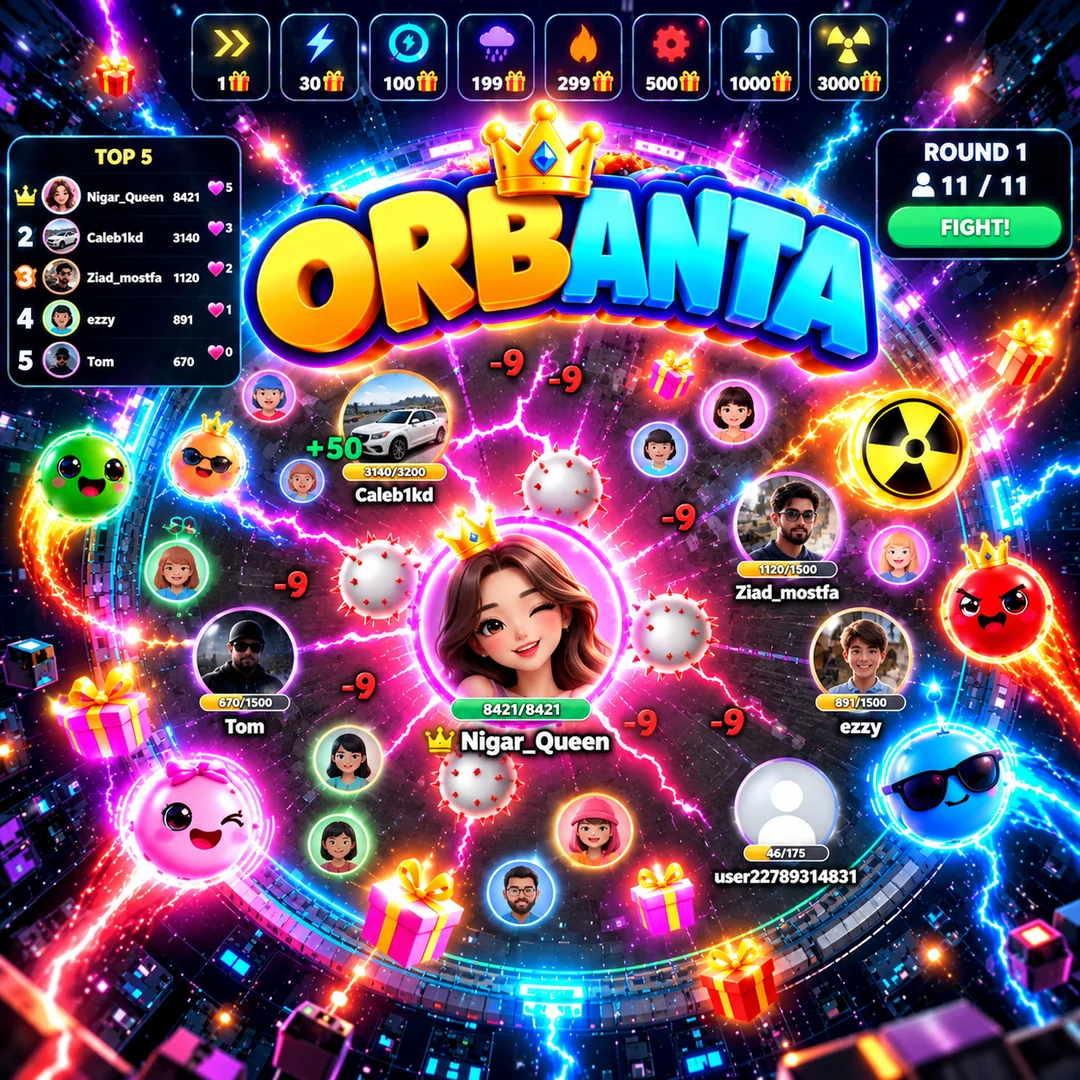
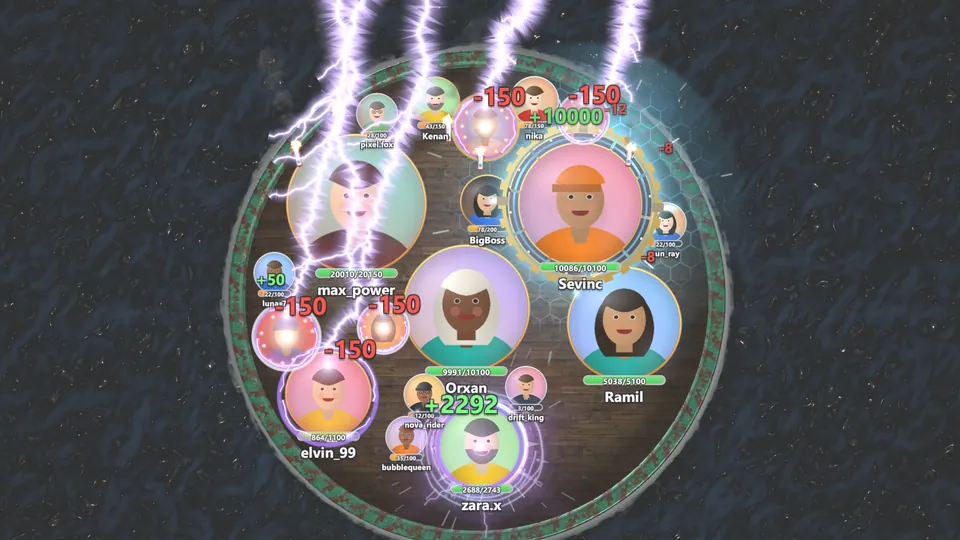
Every viewer is a glowing circle with their profile picture and HP. The circles bump and drain each other; gifts heal and fire shocks, lightning, fire, saws and rocket rain — up to the nuke. The last circle left wins.

  • Up to 200 on one arena
  • Rims that last the round
  • Lightning, saws, rocket rain
  • The nuke at 3 000 coins
ORBANTA on a phone: circles with pictures and HP bars on the neon rooftop, the coin strip and the top 5
ORBANTA key art
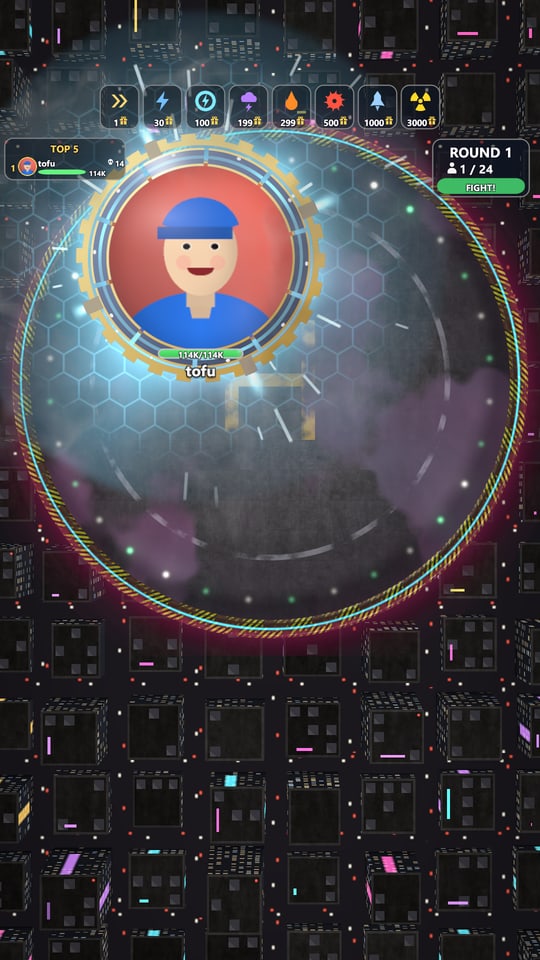
ORBANTA on a phone: the round's winner with a gold rim
01

Install the launcher

The KIANTA launcher for Windows installs and updates the games.

02

Connect your LIVE

Link your stream once; gifts and likes arrive in the launcher.

03

Choose what gifts do

Map gifts to in-game actions. The game shows the list on screen so viewers know what to send.

04

Go live and play

Capture the game window in your streaming software — the audience takes over.

Features

Built for streamers

Gifts become actions

Each gift or like series triggers its own effect, with a spotlight for the big ones.

Gift legend on screen

Viewers always see which gift does what, and how many times it was sent this round.

Top supporters

The biggest supporters get the crown and ride on screen with their avatar.

Vertical, smooth, stream-ready

1080×1920 at a steady 60 FPS, with GPU time left for your streaming software.

Test before you go live

Send test gifts from the launcher and check every effect before the stream starts.

Rounds, matches, statistics

Scores carry over between rounds and restarts; results are kept in your statistics.

KIANTA launcher

Your control room for the LIVE

One app for Windows: install the games, connect your TikTok LIVE, decide what every gift does and arrange the game screen — all before the stream starts.

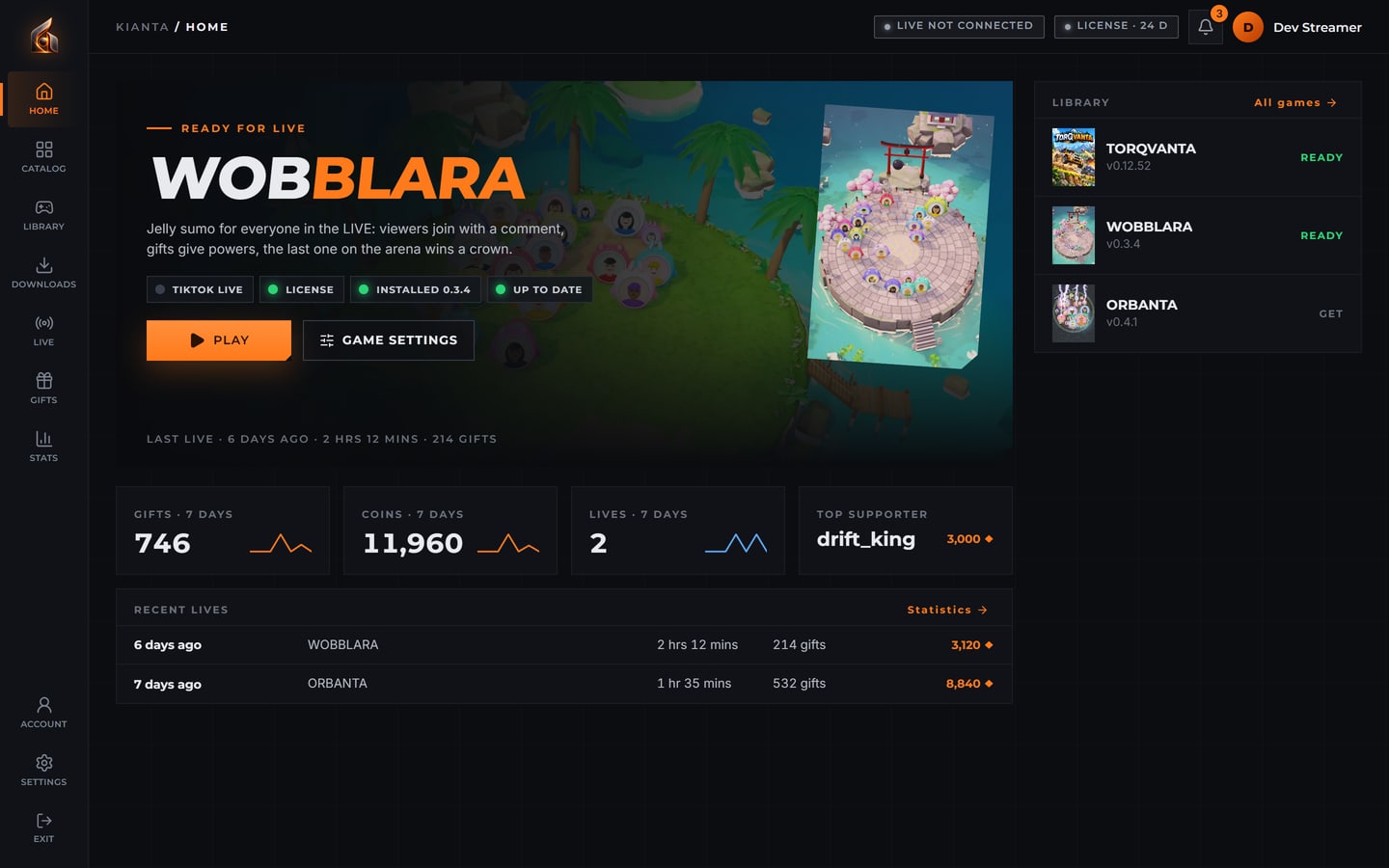
KIANTA launcher Home: WOBBLARA ready for LIVE with its start lights, the last seven days, recent LIVEs and the library with three games
New

All your games on one screen

Home puts the game you play next up front with its start lights — TikTok LIVE, licence, install, update — your last seven days in numbers, recent LIVEs and your whole library.

  • Start lights
  • Last 7 days
  • Library
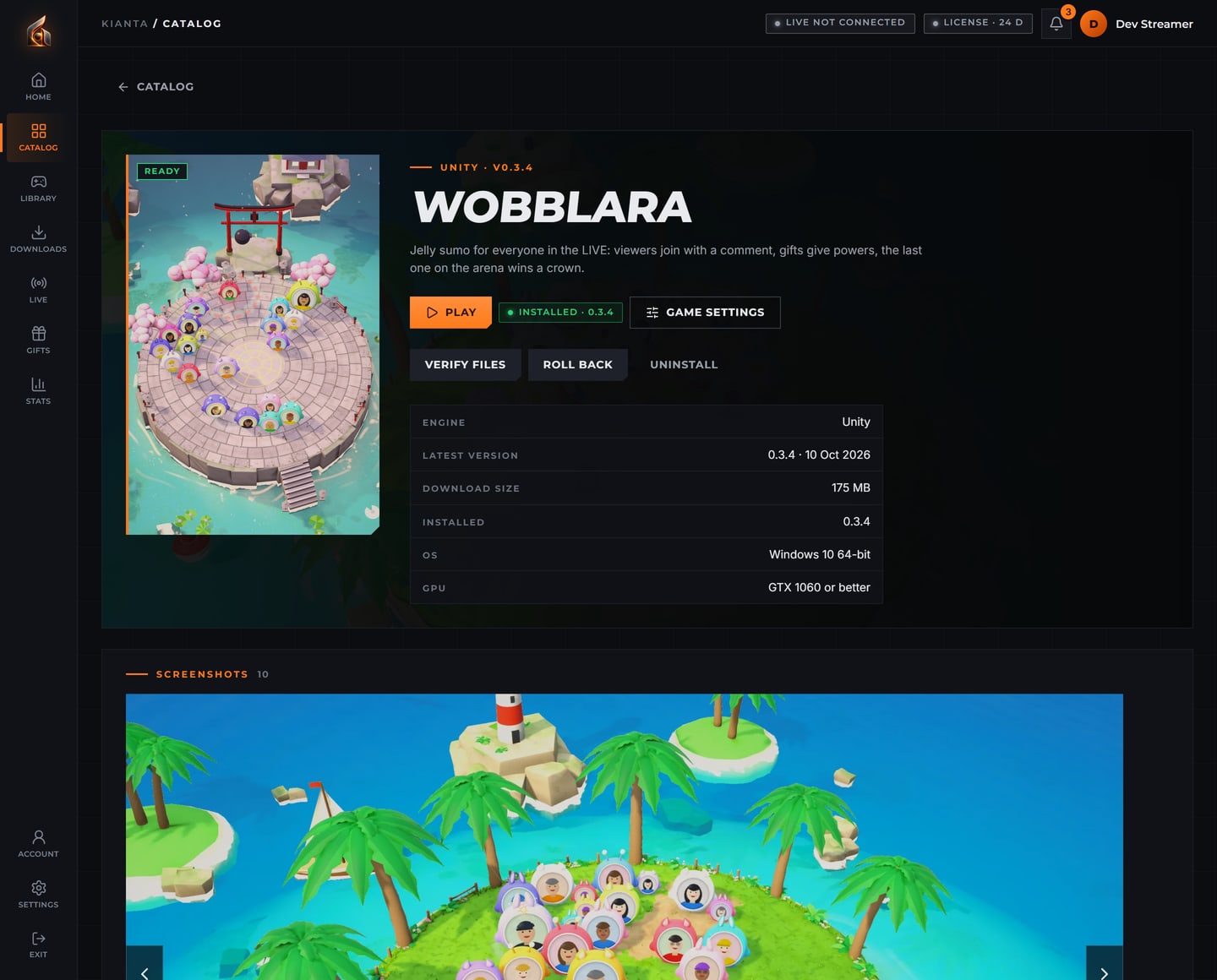
KIANTA launcher: the WOBBLARA page with its cover, version, tools and the screenshot gallery
New

Every game with its own page

Each game has its cover, description, version and requirements, and a gallery of real screenshots that opens full screen. Install, update, verify or roll back right there.

  • Screenshot gallery
  • Full-screen view
  • Verify and roll back
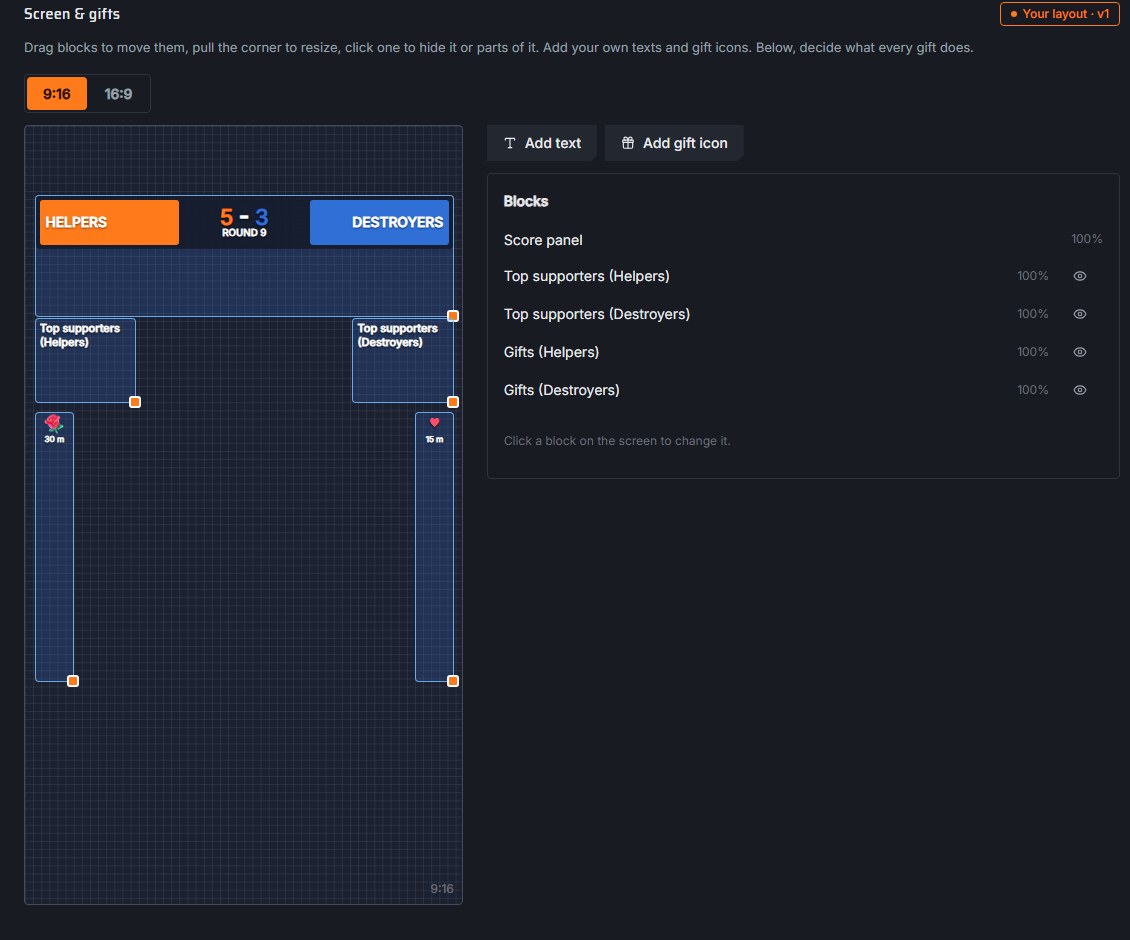
KIANTA launcher: the Screen & gifts editor with the 9:16 game screen, score panel, top supporters and gift columns

Arrange the game screen

Drag the score panel, top supporters and gift columns where you want them, pull a corner to resize, hide what you don't need and add your own texts and gift icons. The running game applies the layout at once.

  • 9:16 and 16:9
  • Drag, resize, hide
  • Your team names
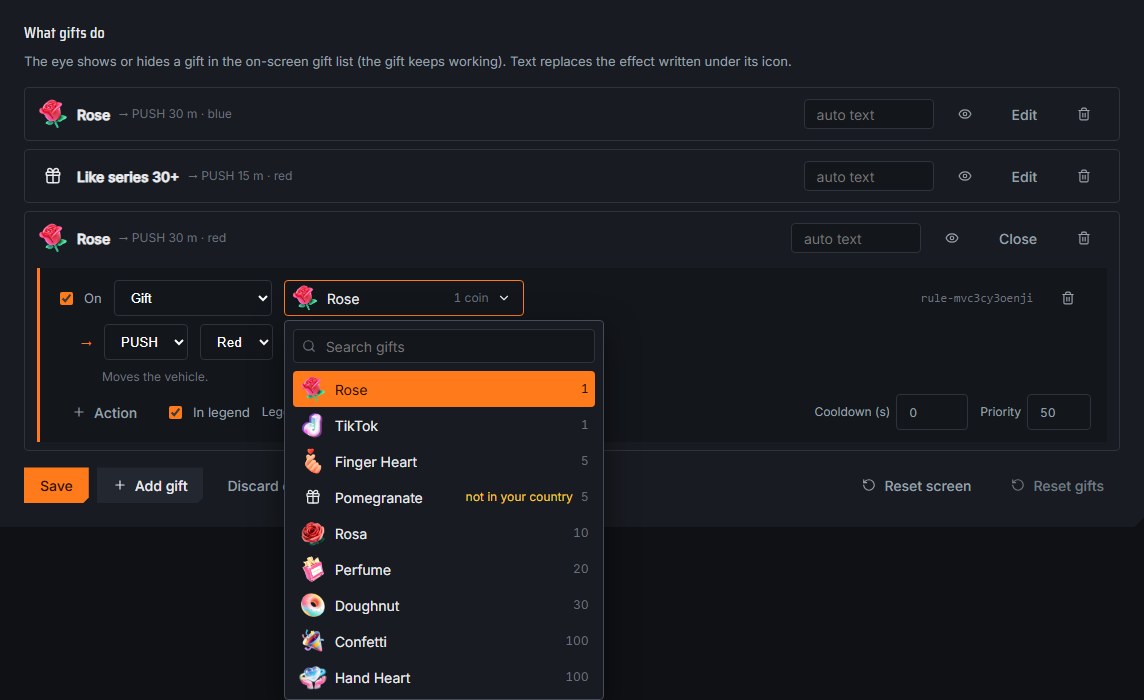
KIANTA launcher: choosing a gift from a list with gift pictures, coin values and search

Every gift with its picture

Pick gifts from a catalogue of real TikTok gifts with pictures, values and search. The launcher warns you when a gift is not in your country's gift panel, and gifts seen during your LIVEs are added automatically.

  • 690+ gifts
  • Search by name
  • Country check
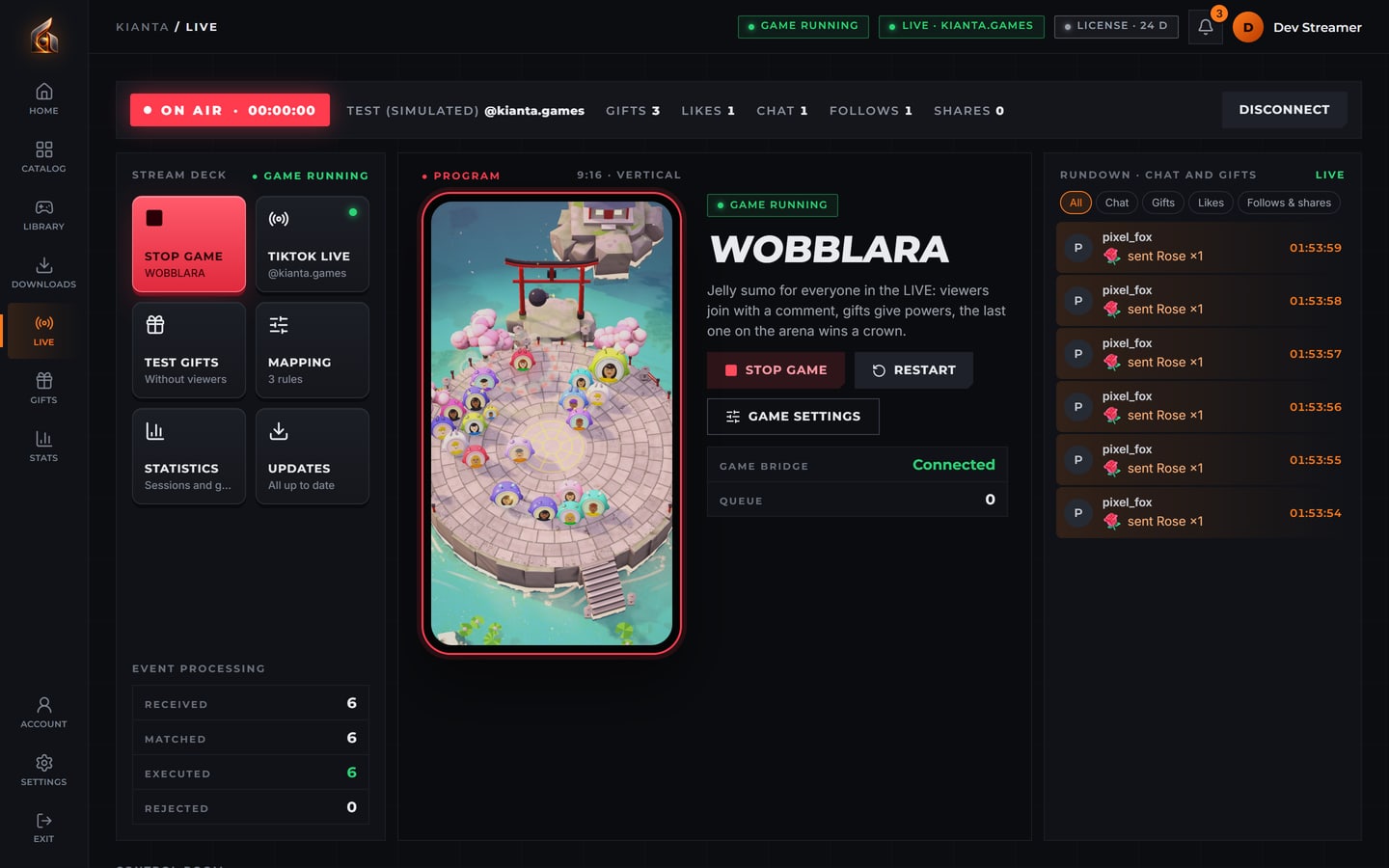
KIANTA launcher: the LIVE page on air with WOBBLARA running, the stream deck, the 9:16 program view and the chat and gifts rundown

Connect your TikTok LIVE

Type your username or paste the LIVE link and connect. Chat, gifts and likes arrive in the LIVE feed with viewers' pictures, and the game session card keeps the round and match score of the stream.

  • Username or link
  • Live feed with avatars
  • Round and match score
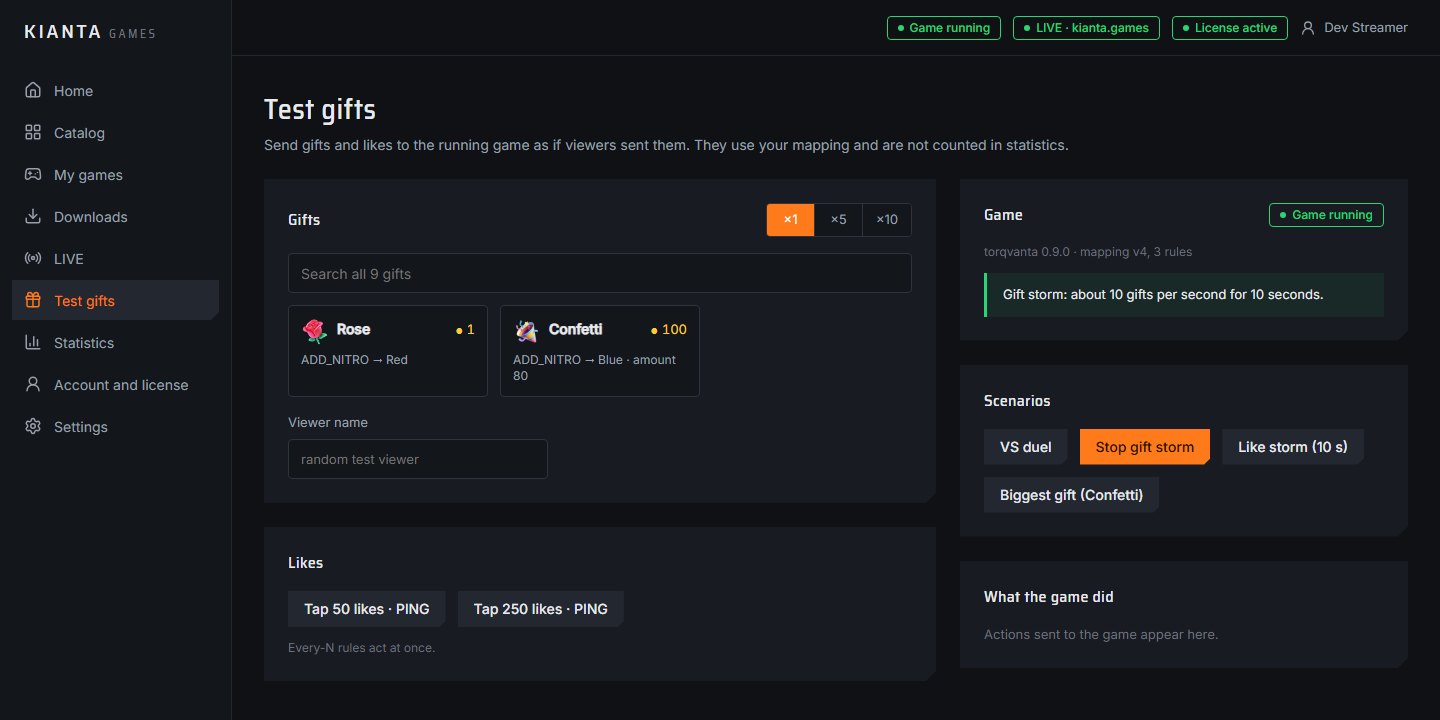
KIANTA launcher: Test gifts page with gifts, likes and scenarios such as VS duel and gift storm

Rehearse before you go live

Send test gifts and likes into the running game exactly as viewers would, or play whole scenarios: a VS duel, a gift storm, a like storm or the biggest gift. Tests are never counted in your statistics.

  • VS duel
  • Gift and like storms
  • Not counted in stats

Install and update

A download queue with pause and resume; verify a game or roll back to the previous version in one click.

Game settings

Maps, rounds, screen language and more, grouped in clear sections. Changes start from the next round, never in the middle of one.

Viewer pictures ready

Profile pictures are loaded ahead, so fuel cans and supporter avatars appear in the game without delay.

Statistics

Every session with its gifts, top senders, actions and round results, by day and by month.

News

From the studio

WOBBLARA: jelly sumo for the whole LIVE

Our second game: every viewer joins as a jelly with their picture, six maps from a tropical island to above the clouds, ultis for big gifts and a crown for the last one standing.

ORBANTA: an HP battle with a nuke

Our third game: circles with viewers' pictures bump and drain each other on a ship's deck, a neon rooftop, a space station or a volcano — with rims, saws, rocket rain and the nuke.

Arrange the game screen yourself

The launcher's new Screen & gifts editor: move and resize the score panel, supporters and gift columns for 9:16 or 16:9 — the game shows the change at once.

Real TikTok LIVE and gift pictures

The launcher now connects to your real TikTok LIVE, shows a live feed with viewers' pictures and lets you pick from 690+ gifts with their pictures.

Likes are fuel now

The car only drives on fuel: every 20 likes send a fuel can with the viewer's picture, and new gauges show the tank, the speed and the nitro.

New vehicles and a snowy road

The Bison 4×4 and the Dune rally coupé race against armoured SWAT trucks, Frostline has a new snowy road, and the helicopter and drone now carry the car on cables.

Community

Streamers first

KIANTA games are made together with the streamers who play them. The first streamers will get access as soon as the release is ready — and their feedback shapes the next worlds and games.

Support

Questions and answers

What do I need to play?

A Windows PC, the KIANTA launcher and a TikTok account that can go LIVE. Capture the game window in your streaming software.

How do viewers know what to send?

The game shows a gift legend on screen: each gift, its value and what it does for which team.

Can I choose what each gift does?

Yes. In the launcher you map gifts and like series to in-game actions, and you can try them with test gifts before going live.

How do likes work?

Every 20 likes from one viewer give the car 20 m of fuel: their profile picture appears with a fuel can and flies to the car. The car only drives on fuel — it slows down when the likes stop and halts when the tank is empty.

When can I start?

The launcher and TORQVANTA are in final development and testing. Streamer access opens soon.

The KIANTA launcher start screen with the glowing KIANTA GAMES logo

Download

KIANTA launcher for Windows

One launcher installs and updates every KIANTA game and connects them to your LIVE.

Windows 10/11 (64-bit) · about 140 MB · a license key is needed to play. The beta installer is not signed yet: if Windows says “Windows protected your PC”, choose “More info” → “Run anyway”.